
Welcome!
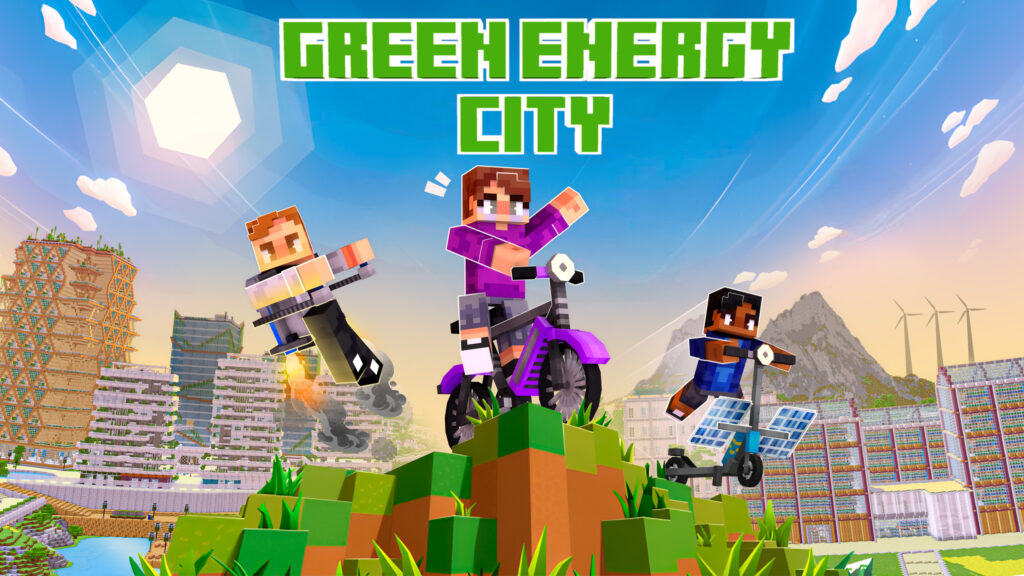
Welcome to Green Energy City, a virtual world powered by renewable energy! From battery tech to solar power, discover the fundamentals of sustainable energy in this immersive learning experience created by BlockWorks in collaboration with InnoEnergy Skills Institute.
The content for this innovative educational platform has been provided by InnoEnergy Skills Institute. Explore, learn, and become a champion of green energy in Green Energy City!
About
Green Energy City is a Minecraft world that introduces and familiarizes students with battery technology and solar power. A series of puzzles, minigames and build activities provides a fun and engaging way of learning key concepts of sustainable energy. The world is available to download for free through the Minecraft Marketplace, and there is a classroom version for Minecraft Education, accompanied by lesson plans.
Overview
The Battery Lab
Start here to get an introduction to batteries: learn about their history, key components, and how they work.
The Battery Zone
Learn about the different types of batteries and their uses, the flow of current, and series and parallel circuits.
The Solar Zone
Follow the path of a photon from the sun to a solar panel, and discover how that can be turned into electricity.
Learning Objectives
The Battery Lab provides an overview of the basics of battery technology, whilst the Battery and Solar Zones each contain 5 different activities to develop and test students’ knowledge.
Get started
(Education Edition)
Minecraft Education is free to schools via Microsoft 365 for Education. To play Green Energy City in the classroom, your school will need to have Minecraft Education installed. If you don't know whether you have access, please ask your IT Department.
Minecraft Education is also available for clubs, camps, homeschoolers, and families and individuals through Microsoft 365. Please refer to the links at the end of this page for information on how to get started based on your organization.
Step 3
Start teaching and playing with Green Energy City!
Free Lesson Plans
We have prepared 11 lesson plans that teachers and parents can use to teach their learners about sustainable energy. These lesson plans are available for free download from the Minecraft Education website.
Helpful Links
Getting Started with Minecraft Education
An overview of the process to get up and going with Minecraft Education.
Microsoft 365 for Education
Students and educators at eligible institutions can sign up for Office 365 Education for free.
Manage Licenses for Camps, Clubs, Homeschool and Other Organizations
How to manage licenses for individuals and non-school organizations.
Microsoft 365
Non-school entities can purchase a license for Minecraft Education through Microsoft 365.
Get started
(Bedrock Edition)
Follow these simple steps to enter Green Energy City. If you already have Minecraft Bedrock Edition, then simply search for and download ‘Green Energy City’ from the Minecraft Marketplace.
Step 2
Open the Minecraft Marketplace (bottom of the main menu).
Step 3
Search for ‘Green Energy City’ by BlockWorks.
Step 4
Download the world for free and start playing!
Get in touch
If you have any questions, feel free to send us a message.

NOT AN OFFICIAL MINECRAFT PRODUCT. NOT APPROVED BY OR ASSOCIATED WITH MOJANG.